
In my day job, I interact with all sorts of organisations and teams. Some have mature DevOps practices, but many do not and are looking for help. Many of the less mature organisations want to move towards empowering their developers to self-serve, by embracing technologies such as Terraform, but have concerns about how they can do so safely.
There are usually two main objections that come up in discussions:
- Cost - How can we ensure costs do not skyrocket and be sure that teams are choosing sensible options?
- Security - How can we ensure that developers and other teams are securely configuring resources?
In this article, we are going to explore the security element a little more, taking an initial look at some of Palo Alto’s Prisma Cloud capabilities, and how they can help.
Disclaimer - I work for a partner that resells Palo Alto solutions, however I’m in no way being sponsored or reimbursed for anything in this article 😄. All views are my own - I am just looking to provide people with a view of what the solution is capable of.
Why Implement Guardrails
In my experience, people do not generally configure things badly intentionally. Public Cloud platforms are an ever-changing landscape, and it is difficult to keep up to date with all the options. Teams may not be experts in the platform on which they are deploying and may make mistakes.
Even when you are an expert, perhaps the tooling you are using abstracts certain settings away from you, and you inadvertently introduce errors. For example, when using Terraform, there are many default values for resource attributes. This is great in the sense that you don’t have to explicitly provide them all, however the defaults are not always the most secure option.
Guardrails can help protect your teams from such misconfigurations. They can also help to enforce your organisational policies and standards. Examples of such guardrails could include:
- Ensuring only specific regions are used for deployments.
- Ensuring only private networking is used.
- Ensuring best practices such as disk encryption are used where available.
- Ensuring suitable redundancy is implemented for solutions.
- Ensuring that excessive permissions are not being assigned to users/groups.
The list goes on and on. There are a number of different tools that can be used to help with these challenges - both open source and commercial, with many of them overlapping in terms of desired outcomes, but with their own distinct pros and cons in the way they approach the challenge.
Palo Alto Prisma Cloud - An Introduction
Prisma Cloud is a platform from Palo Alto that generally falls under the category of “Cloud-Native Application Protection Platform” (CNAPP). Their tag line is:
“The Code to Cloud platform that secures apps from design to runtime.”
The platform has evolved over the years as Palo Alto has made a number of strategic acquisitions, such as:
- RedLock
- Evident.io
- Twistlock
- PureSec
- Aporeto
- Bridgecrew
- Dig Security
This isn’t an exhaustive list, but as you can see, Palo Alto has gone aggressively after a number of companies to build out their cloud security capabilities.
Acquiring such a large number of organisations comes with a significant risk that the product set will end up fragmented and feeling like a mashup of disjointed products, but one thing I’ve been pleasantly surprised with over the years is how quickly Palo Alto seem to integrate an acquisition and produce a product that feels cohesive and well thought out.
Code to Cloud
The idea behind Palo Alto’s “Code to Cloud” tagline is that they want to provide a platform that can help to secure applications and infrastructure from design, through to deployment and runtime. This is something you’ll undoubtedly have heard referred to as “shifting left” - implementing security as early as possible in the development lifecycle.
The platform offers a tonne of different features, which can be broadly categorised under the following main categories:
- Secure the source - Trying to prevent issues and enforce guardrails as early as possible in the development lifecycle. This includes features such as (not a comprehensive list):
- Infrastructure as Code (IaC) scanning.
- Continuous Integration (CI) scanning.
- Software Composition Analysis (SCA).
- Secrets Scanning.
- Secure the Infrastructure - All about ensuring that the deployed resources are compliant and have not been changed, allowing remediation where they may have. Again, a non-comprehensive list of features includes:
- Cloud Security Posture (CSPM).
- Cloud Identity and Entitlement (CIEM).
- Data Security Posture Management (DSPM).
- Agentless vulnerability scanning.
- Secure the Runtime - Protecting workloads at runtime. This includes features such as:
- Cloud Workload Protection (CWP).
- Web Application and API Security (WAAS).
- Real time workload visibility and control.
A lot of capabilities and a lot of acronyms! And that’s not even everything the platform is capable of.
For the rest of this article, we are going to focus a little more on securing the source, and see some of the capabilities of the solution, and how it can help to deploy secure infrastructure, faster.
Integrated Development Environment (IDE) Integration
We can’t shift much further left, than by telling the developers about issues as they are coding! This is exactly what the IDE integration can help with.
The Prisma Cloud extension is currently available for both VSCode and JetBrains (at the time of writing anyway). This extension integrates with your Prisma Cloud tenant, allowing you to take advantage of the wealth of best practices checks that come out of the box.
Terraform
Let’s say I’m carelessly writing some Terraform code to deploy an Azure Kubernetes Service (AKS) cluster.
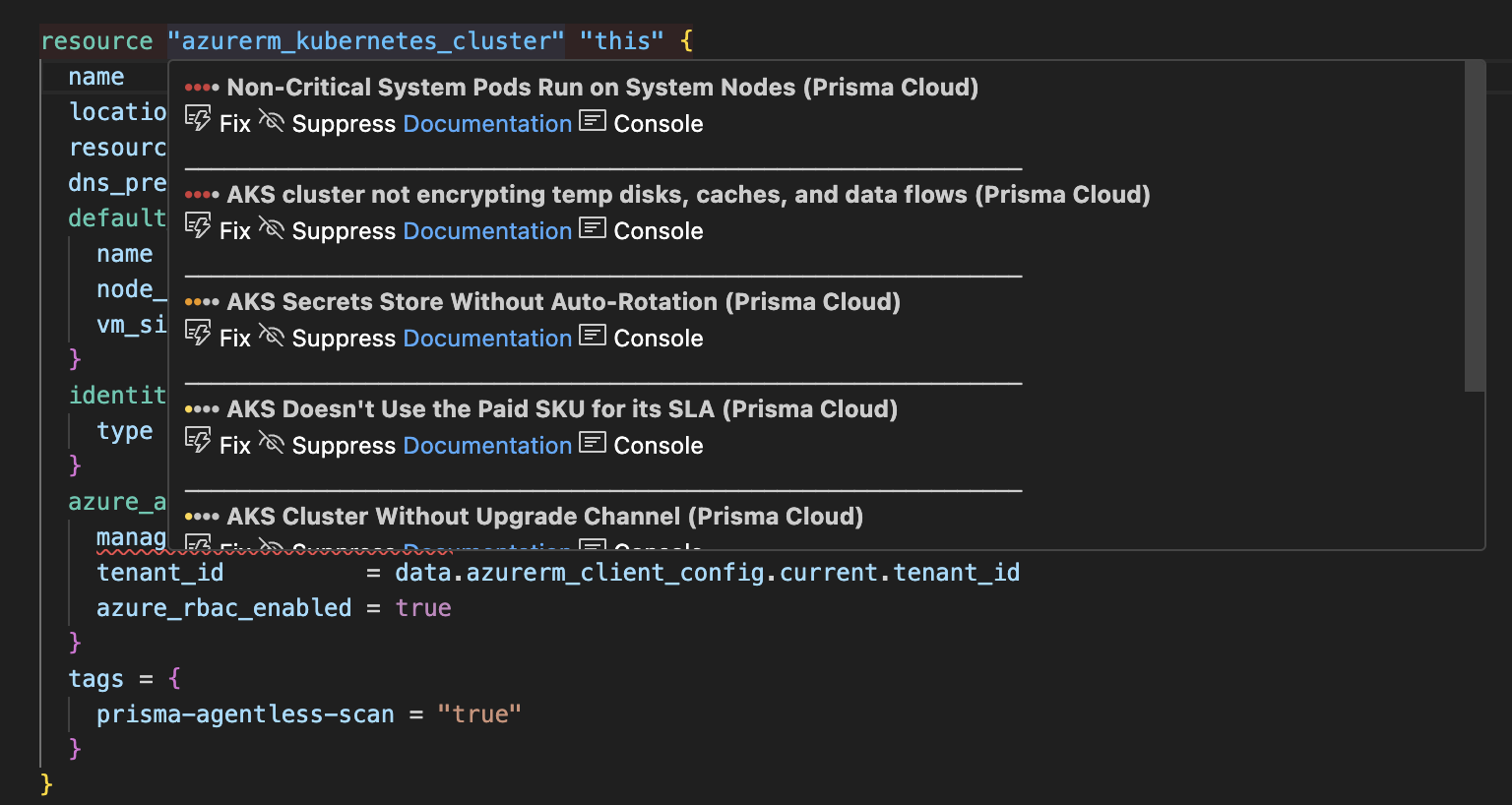
Straight away I start getting feedback on things I could improve. What’s more, for many issues, I can just click the “fix” button and have the extension correct my code for me.
The same issues can be viewed in the dedicated left-hand pane as well…
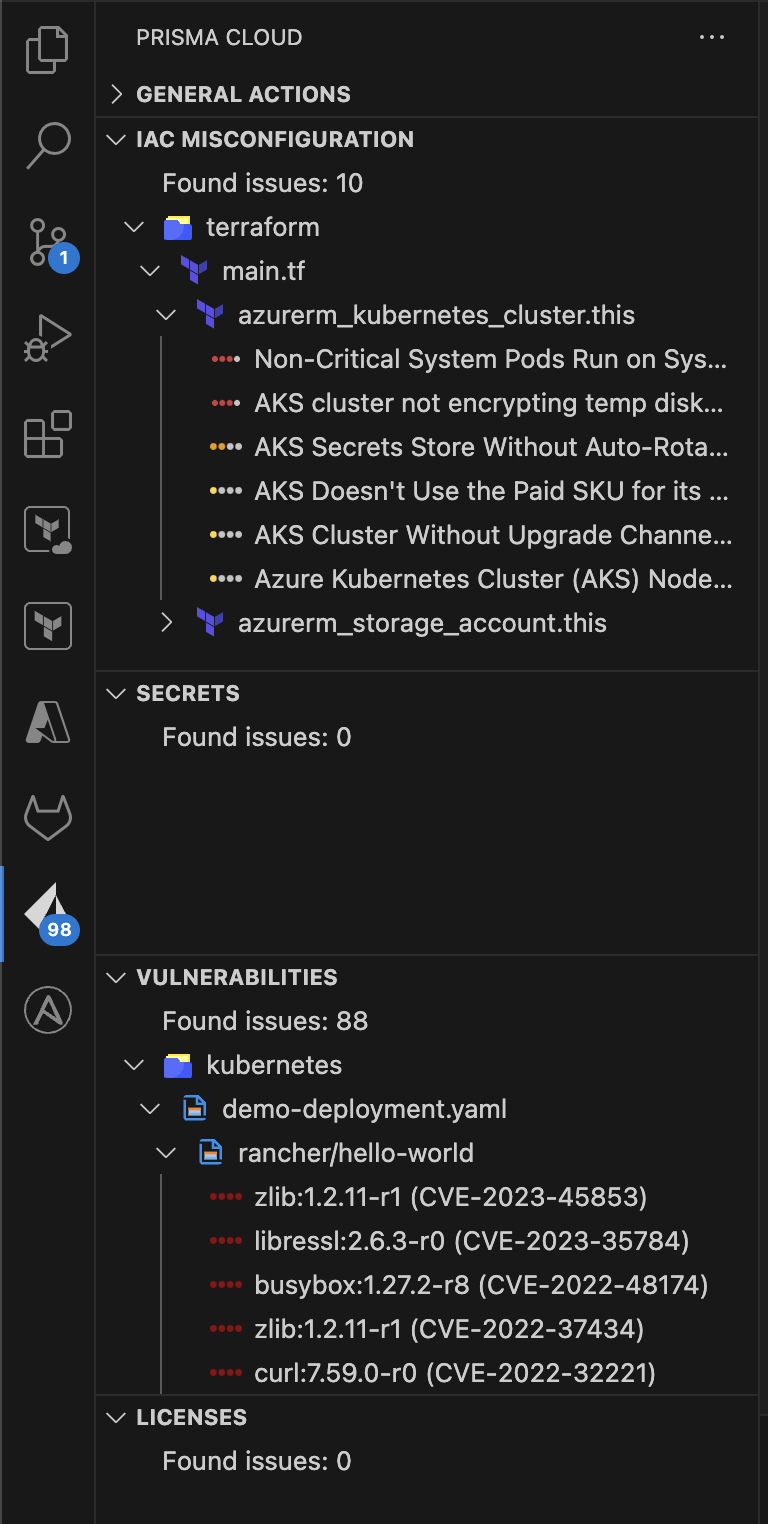
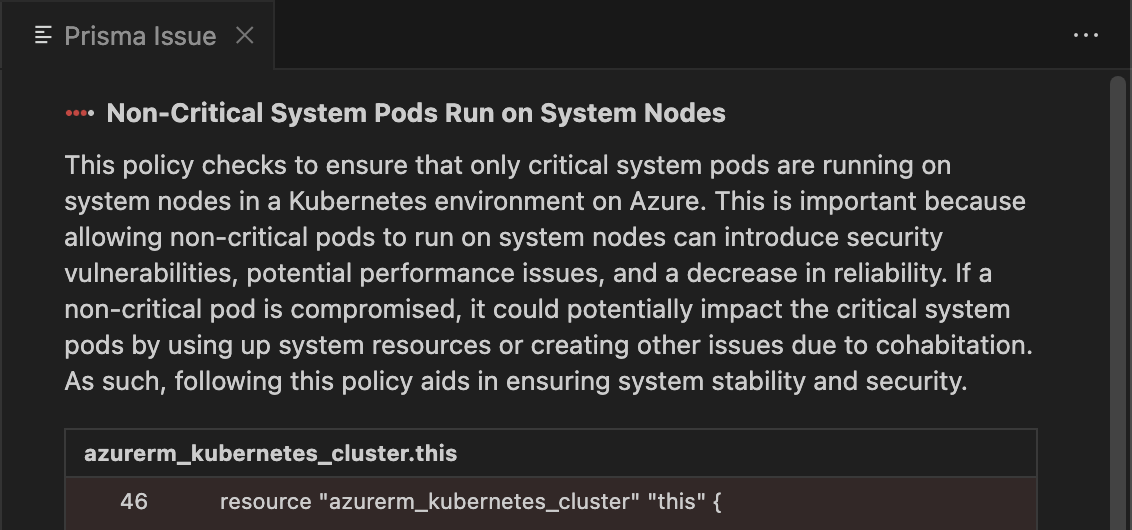
Image Composition
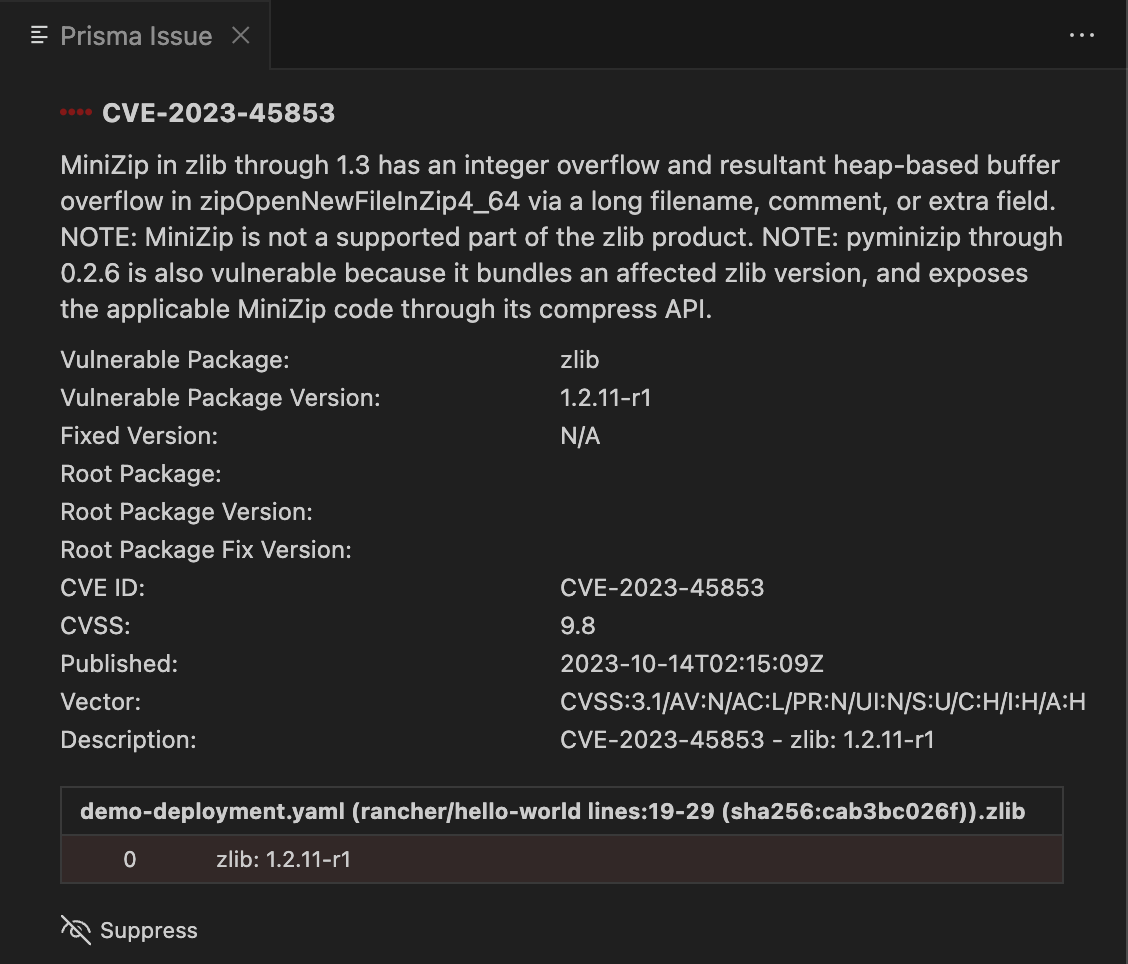
As you’ll see from the screenshot, the extension checks more than just Terraform configuration. You can also see I’ve also got vulnerabilities flagged in the image used by a Kubernetes Manifests. For either of these issues, I can click to read more about them.
Secrets Scanning
I’m not showing any hardcoded secrets yet, which is good. Let’s add one and see if it is picked up…
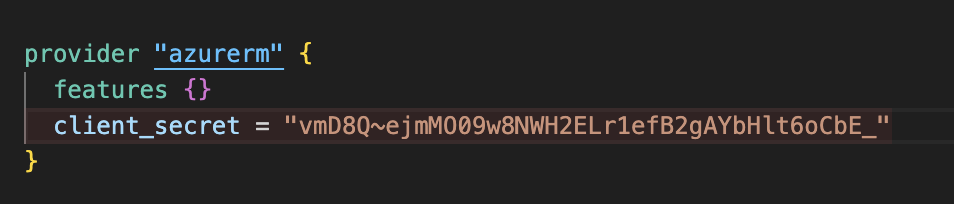
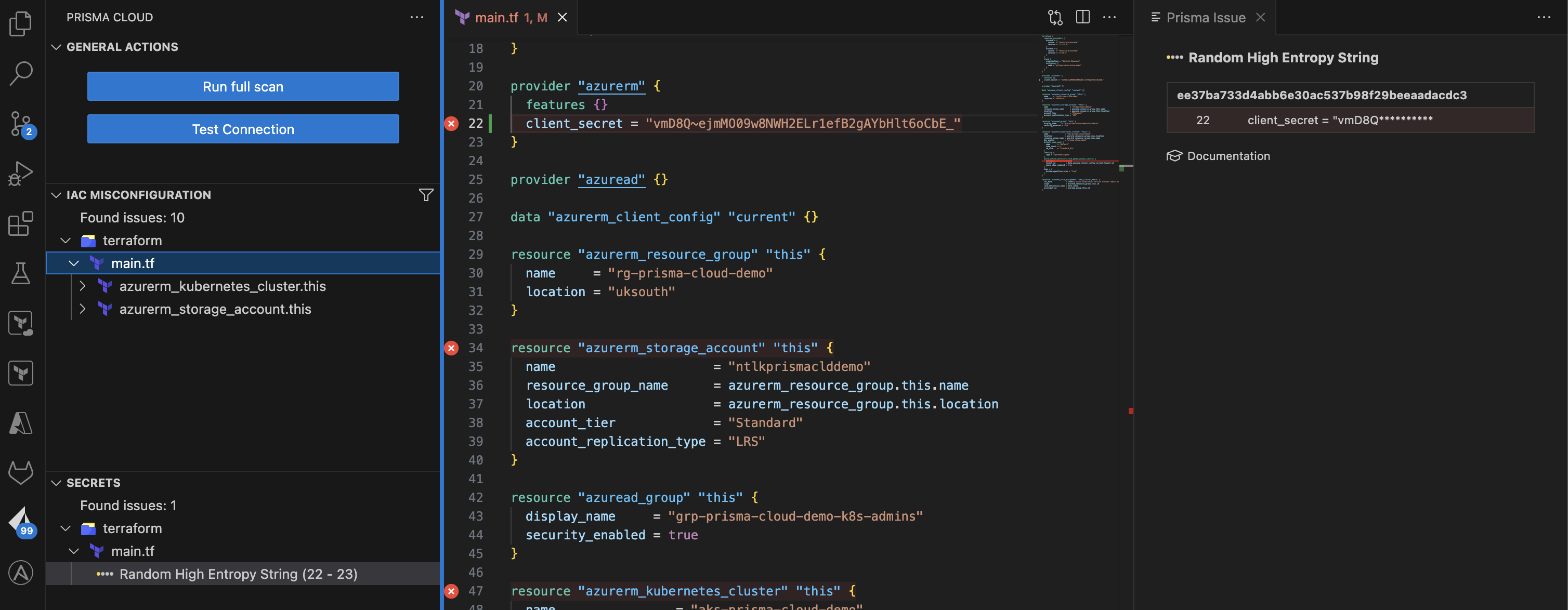
Bingo!
Custom Governance Rules
Out of the box checks are great, and go a long way to ensuring that the infrastructure you deploy is secure, but what if you want to create your own custom policies? Prisma Cloud supports this.
As a quick demonstration, I’ll create a rule that prevents you naming resources “mike” (though why you’d want to block such a splendid name is beyond me 😉).
First I’m going to create a build governance policy in the Prisma Cloud solution.
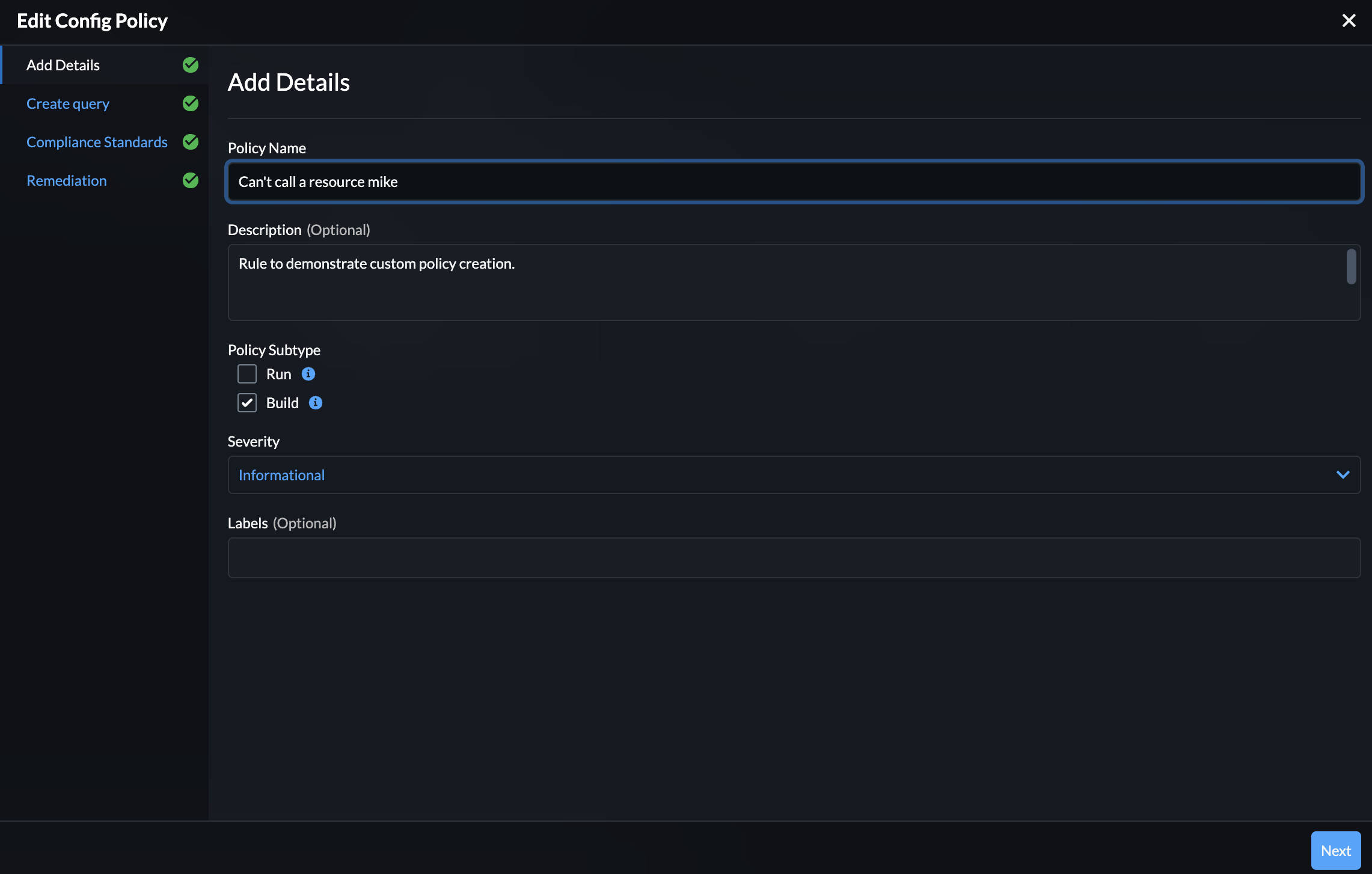
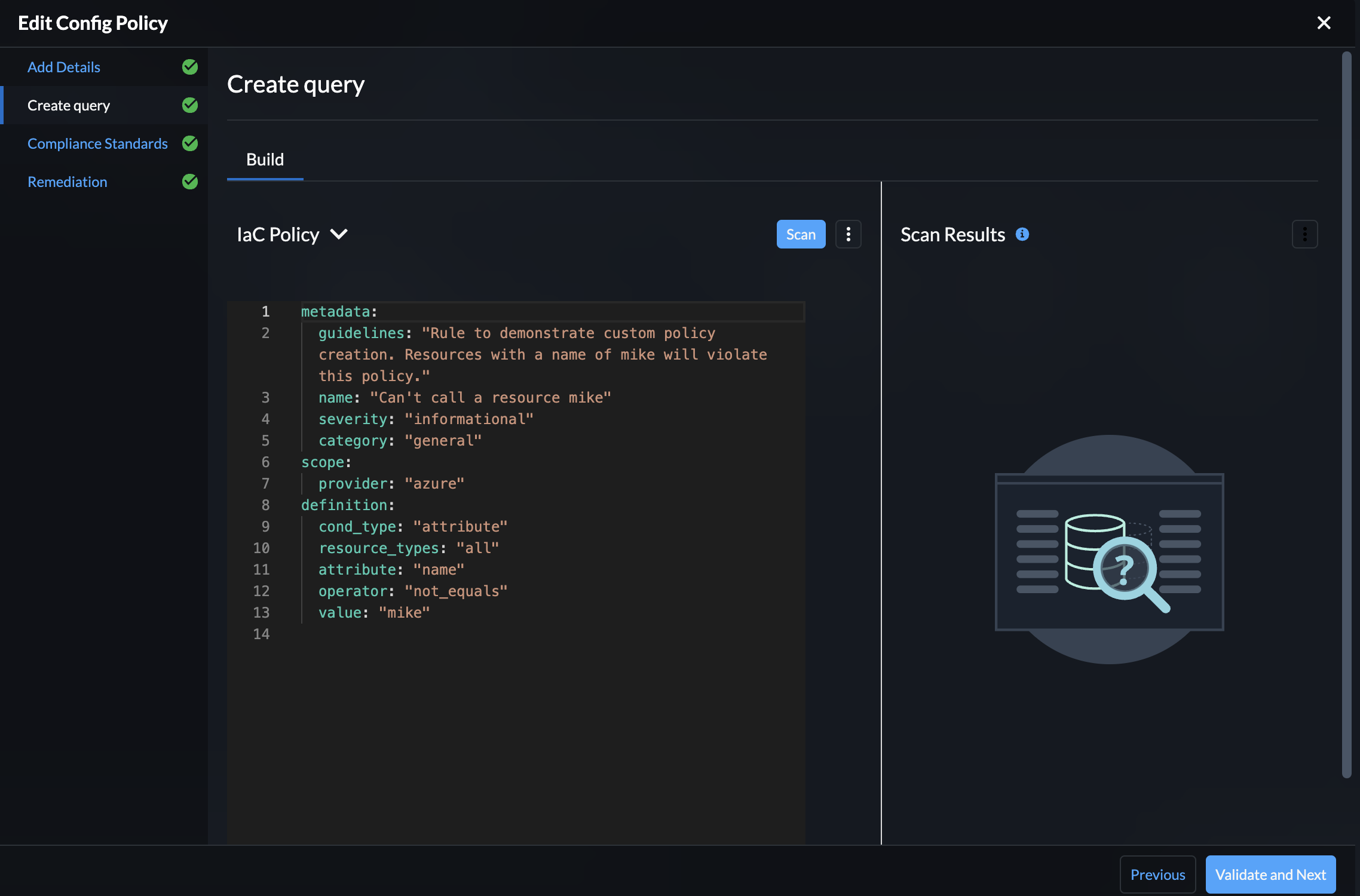
Now let’s head back to my code and change the name of the storage account resource to see if it is picked up.
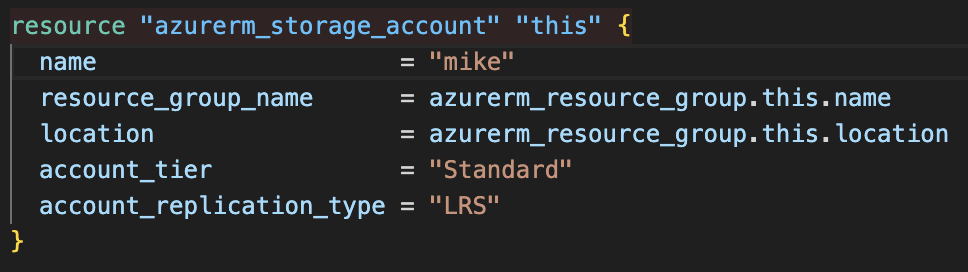
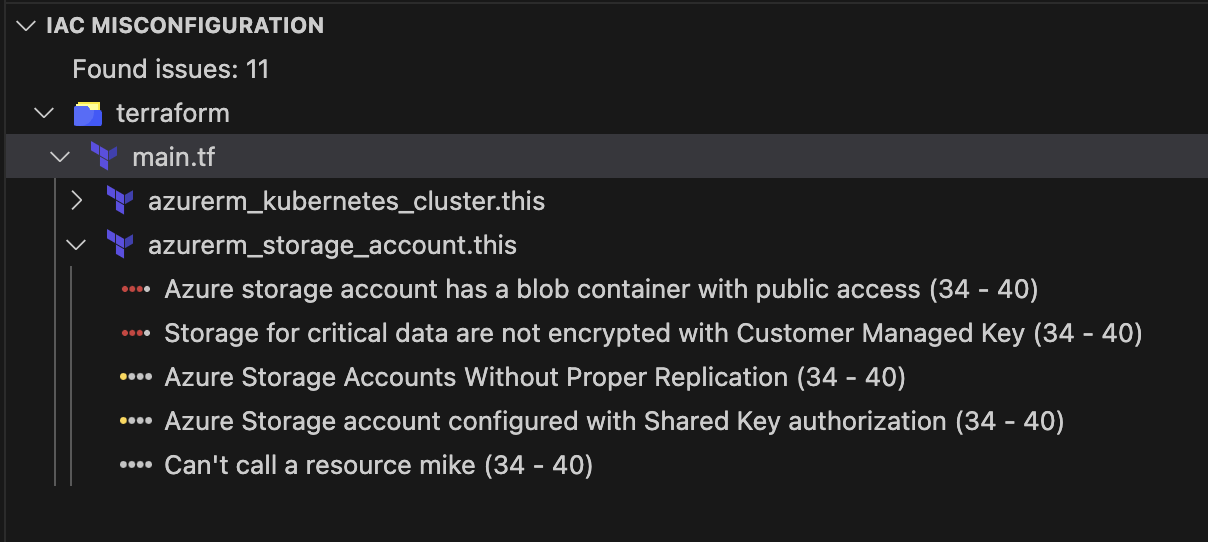
As you can see above, after changing the name of the resource to “mike”, our custom rule is now being triggered. Being able to centrally define your policies and have it pull straight into developers IDEs is a great way to start giving them the information they need to deploy secure infrastructure from the get-go.
Continuous Integration (CI) Integration
Despite the extension warnings, developers may still choose to ignore them and push code to version control systems. What can be done then? Prisma Cloud has a couple of ways of integrating with your CI/CD process, either within the merge request process, or as part of your CI pipelines.
Shown in the screenshot below, we can see that the Prisma Cloud integration with the Version Control System (VCS) has automatically added comments to the pull/merge request to flag issues. Depending on the settings we configure, this can prevent the merge from taking place without being fixed.
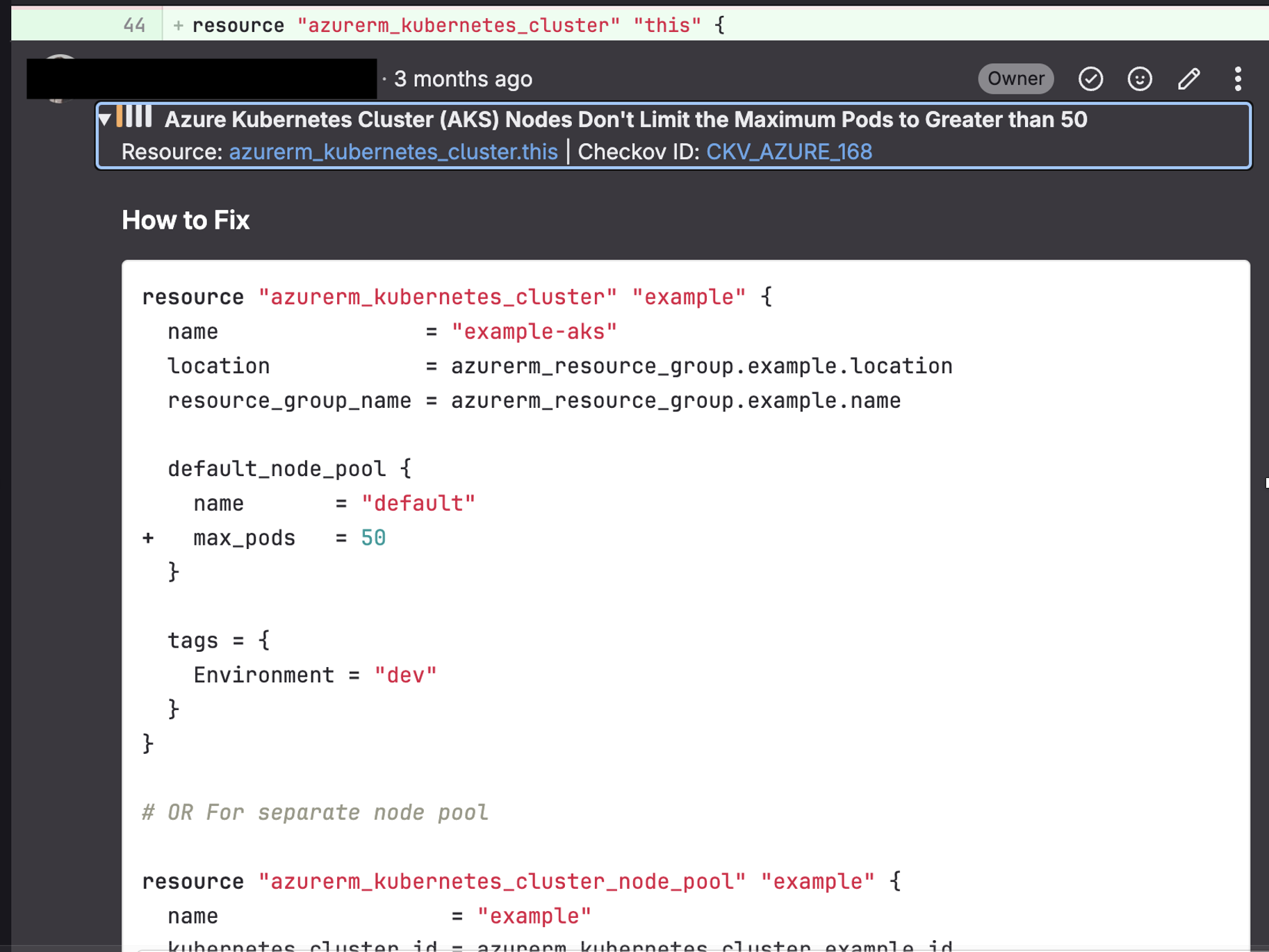
Again, help is provided in terms of remediation so that people aren’t left guessing what they need to do. The same information can also be seen in the Prisma Cloud Portal.

Notice the “No issues have been added” button? Well rather than going back and forth with developers, security teams can also add “fixes” (where available) to a shopping cart of things to fix. With a click of a button, a pull/merge request can then be opened on the offending source repository.


Conclusion
This was just a very quick introduction to some of the capabilities of Prisma Cloud. In future articles, we will aim to delve into some of the other areas in a little more detail, but hopefully this gives you an idea of how it can start to be used to secure your organisation.