In this article, we will briefly take a look at what an MCP server is, how it works (at a VERY high-level) and then have a play with the new Terraform MCP server.
What is MCP
MCP stands for Model Context Protocol. It is a way of allowing AI clients such as Cursor, GitHub Copilot, and other development tools to gain access to additional functionality in a standardised way.
Whilst these tools are remarkably powerful for code generation and assistance, they do not have access to resources outside of their immediate environment, and as such are limited in terms of the capabilities they can provide. They cannot directly interact with your databases, file systems, APIs, or external services without significant custom integration work.
MCP is an open standard that was developed by Anthropic, the company that created the Claude family of LLMs (don’t worry about these terms - I’ve included a glossary at the bottom of this article). It allows AI clients to interact with external tooling in a single, standardised way, without needing to know about implementation details of each tool in advance.
Why MCP Matters
The standard addresses a fundamental challenge in the AI tooling ecosystem - fragmentation. Before MCP, each AI client required custom integrations for every external service or tool it wanted to access. This created a complex web of bespoke connections that were difficult to maintain and scale.
MCP changes this by establishing a universal interface between AI applications and external resources. Think of it as a common language that allows any MCP-compatible AI client to communicate with any MCP-compatible server, regardless of the underlying technology or implementation.
How MCP Works
At its core, MCP operates on a client-server architecture. The AI application acts as a client, whilst external tools and services expose their functionality through MCP servers. These servers can provide various capabilities, including:
- Resources: Access to files, databases, or web content.
- Tools: Executable functions that the AI can invoke.
- Prompts: Pre-defined prompt templates for specific tasks.
The protocol handles the communication between clients and servers, managing authentication, request routing, and data exchange in a secure and efficient manner.
Here is one of my noddy PowerPoint drawings to illustrate the concept:

Each MCP server provides one or more “tools” that AI can then use. For example, the Terraform MCP server we will look at shortly (https://github.com/hashicorp/terraform-mcp-server), offers four:
- resolveProviderDocID: Queries the Terraform Registry to find and list available documentation for a specific provider using the specified serviceSlug. Returns a list of provider document IDs with their titles and categories for resources, data sources, functions, or guides.
- getProviderDocs: Fetches the complete documentation content for a specific provider resource, data source, or function using a document ID obtained from the resolveProviderDocID tool. Returns the raw documentation in markdown format.
- searchModules: Searches the Terraform Registry for modules based on specified moduleQuery with pagination. Returns a list of module IDs with their names, descriptions, download counts, verification status, and publish dates.
- moduleDetails: Retrieves detailed documentation for a module using a module ID obtained from the searchModules tool including inputs, outputs, configuration, submodules, and examples.
The Benefits of Standardisation
By adopting MCP, developers and organisations gain several key advantages:
- Interoperability: Tools built with MCP work seamlessly across different AI clients, reducing vendor lock-in and increasing flexibility.
- Reduced Development Overhead: Instead of building custom integrations for each AI client, developers can create a single MCP server that works with all compatible applications.
- Enhanced Security: MCP provides standardised authentication and permission models, ensuring that AI clients only access authorised resources.
- Simplified Maintenance: Updates and changes to external tools only need to be implemented once in the MCP server, rather than across multiple client-specific integrations.
Enough of the Theory!
There are tonnes of different MCP servers available, and this is going to be the first time I’ve played with any of them! So, we will start off by having a look at the recently announced Terraform MCP Server.
What Can it Do?
I’m going to be lazy and just take the summary from the GitHub README!
The Terraform MCP Server is a Model Context Protocol (MCP) server that provides seamless integration with Terraform Registry APIs, enabling advanced automation and interaction capabilities for Infrastructure as Code (IaC) development.
Use Cases
- Automating Terraform provider and module discovery
- Extracting and analyzing data from Terraform Registry
- Getting detailed information about provider resources and data sources
- Exploring and understanding Terraform modules
This sounds promising. I use Terraform and Cursor heavily, but it isn’t always great at getting the resources correctly configured if you ask it to create something. Often some of the field names may have changed where the model may have been trained on older data, and it may not know about the latest features or correct values.
Getting Set Up
First off, we are going to want to clone the repo…
git clone https://github.com/hashicorp/terraform-mcp-server.git
To use this server, you’ll need Docker (or another container runtime) installed and running (I’m using Colima for this).
Next we want to add the MCP configuration to our editor. I’m using Cursor in this instance, so my steps are a little different to the README. I’m going to add it to my global mcp.json configuration file by opening settings, going to cursor settings then MCP and using the Add new global MCP server button. The JSON file that opened now looks as follows:
{
  "mcpServers": {
    "terraform": {
      "command": "docker",
      "args": ["run", "-i", "--rm", "hashicorp/terraform-mcp-server"]
    }
  }
}

Next, we need to build the container image from the cloned repository. Fortunately, a nice little Makefile is provided!
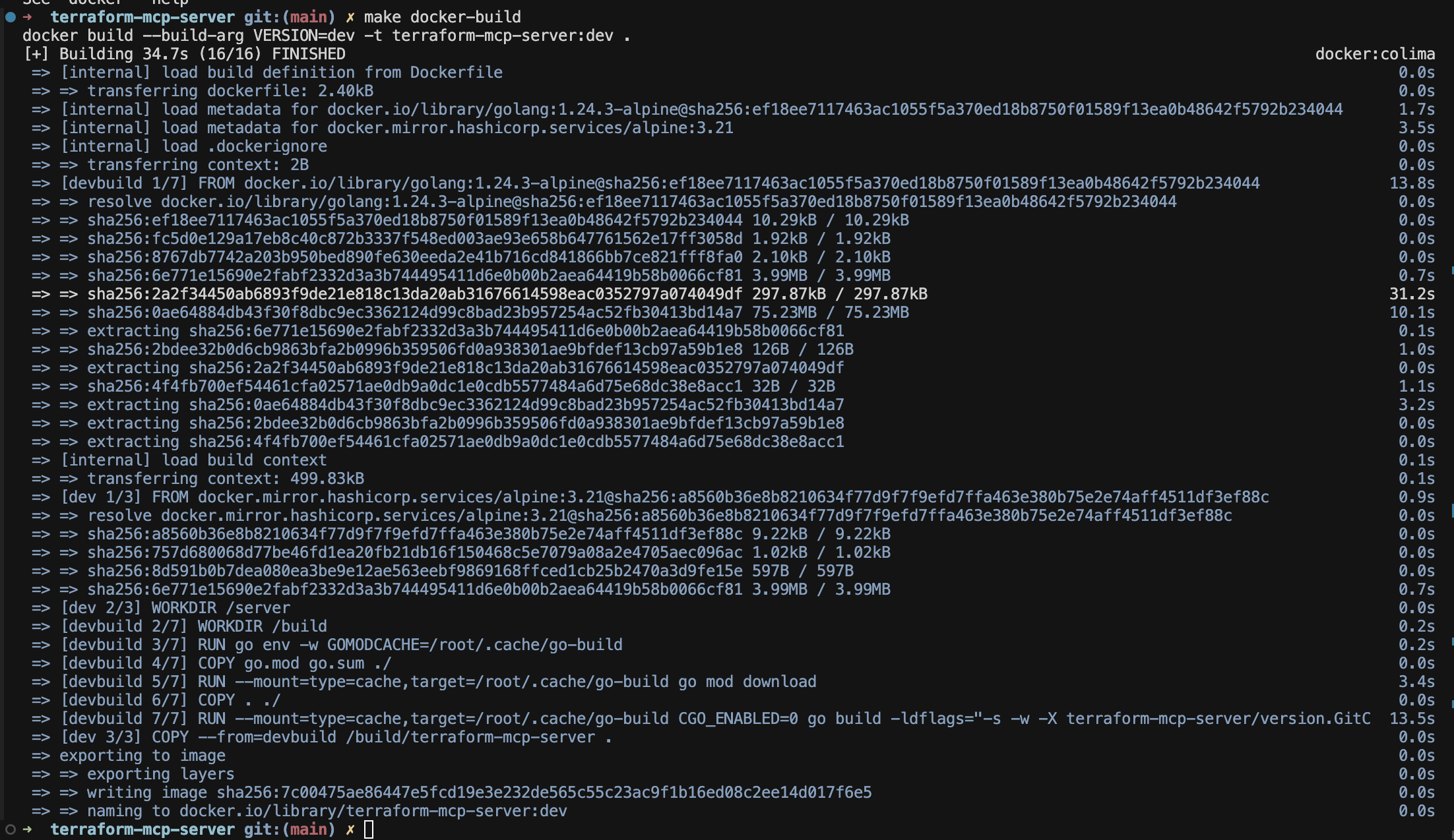
Let’s check it is in my image cache…

Giving it a Try
Ok, so we are setup. What happens if we ask a question? Let’s start off simple…
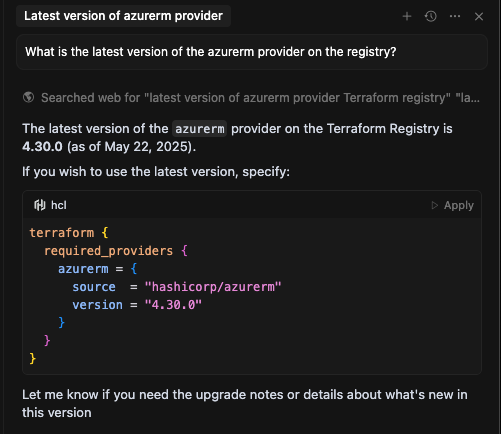
It failed successfully! Whilst yes, that is the latest version (at the time of writing), you can see from the “searched web for…” line, this was not queried via the MCP server - this was just a direct web search.
In theory, it should have used our MCP server (though no guarantees it will). The HashiCorp docs suggest…
Your model may still decide to use other resources to formulate responses, but you can use the following guidelines to help you create prompts that are more likely to be routed through the server:
- Include the names of specific providers or provider modules. For example, use google_compute_disk in your prompt instead of the compute disk.
- Use the full Terraform resource address in your query. Refer to Resource Address Reference in the Terraform CLI documentation for additional information about resource addresses.
- Ask for the latest information about the provider or module.
Let’s try something else…
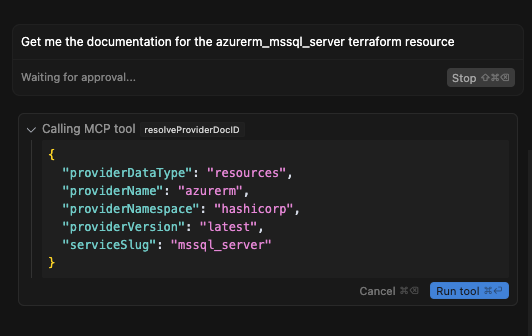
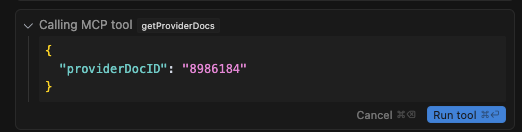
Success it seems. After approving, it then queried the MCP server again…
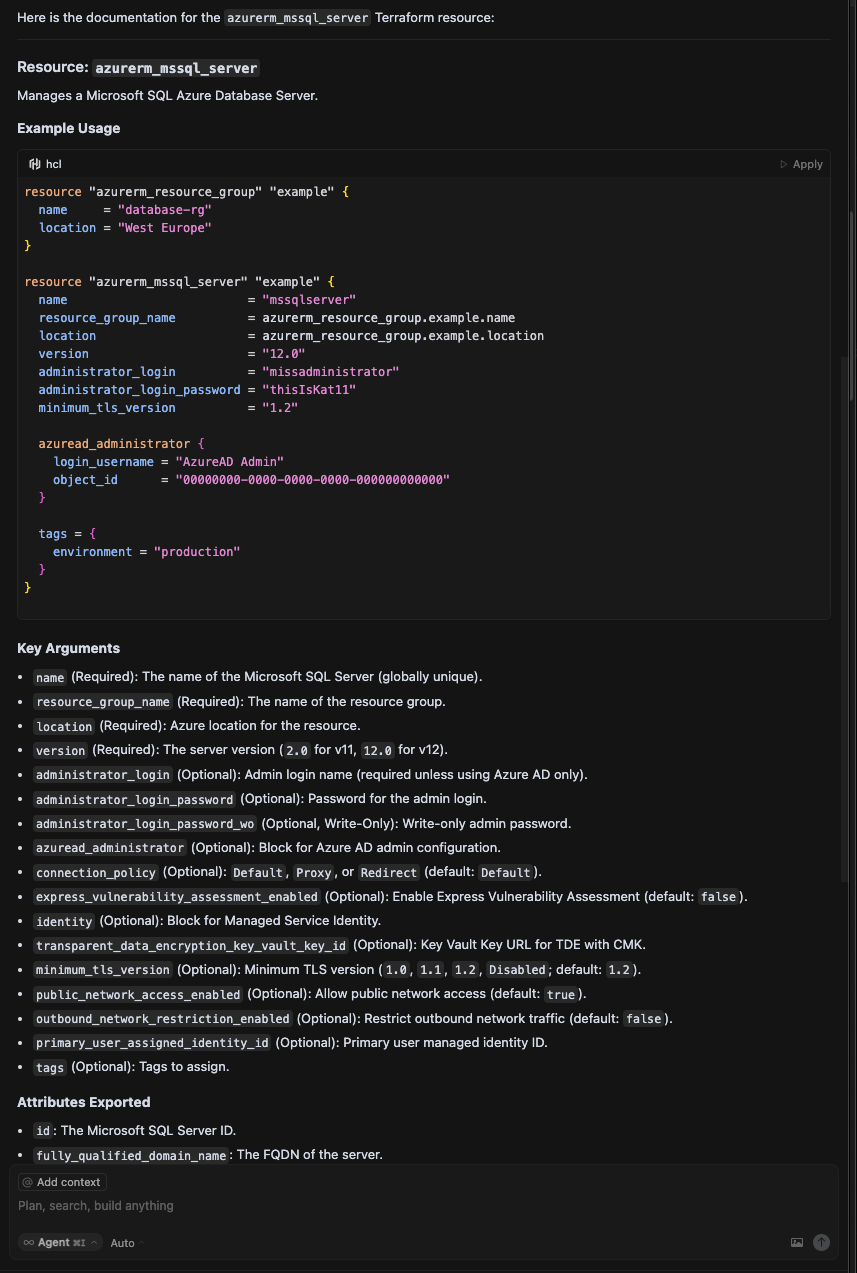
Before finally spitting out the result.
A Little More Advanced
Let’s give it more of a challenge now. Despite my relatively vague prompt, the MCP server was queried multiple times, retrieving details for the resources I asked for…
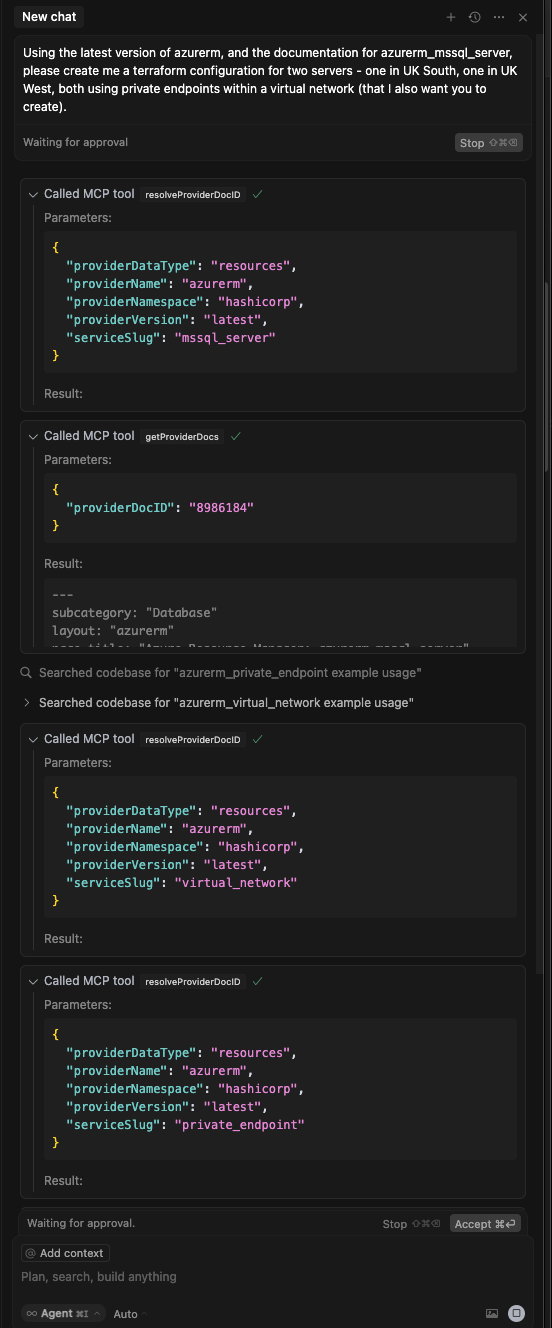
After clicking the “Run tool” button for what felt like an eternity (seriously - it went on for ages! There must be a way to disable this!), it spat out a configuration which I’ve shown below.
terraform {
  required_providers {
    azurerm = {
      source  = "hashicorp/azurerm"
      version = ">= 3.0.0"
    }
  }
  required_version = ">= 1.3.0"
}

provider "azurerm" {
  features {}
}

# Resource Group
resource "azurerm_resource_group" "main" {
  name     = "mssql-pe-demo-rg"
  location = "UK South"
}

# Virtual Network (spanning both regions for demo, but in reality, you may want two VNets and peering)
resource "azurerm_virtual_network" "main" {
  name                = "mssql-pe-demo-vnet"
  location            = azurerm_resource_group.main.location
  resource_group_name = azurerm_resource_group.main.name
  address_space       = ["10.10.0.0/16"]

  subnet {
    name                              = "mssql-uksouth"
    address_prefixes                  = ["10.10.1.0/24"]
    private_endpoint_network_policies = "Disabled"
    service_endpoints                 = ["Microsoft.Sql"]
  }
  subnet {
    name                              = "mssql-ukwest"
    address_prefixes                  = ["10.10.2.0/24"]
    private_endpoint_network_policies = "Disabled"
    service_endpoints                 = ["Microsoft.Sql"]
  }
}

# Private DNS Zone for SQL
resource "azurerm_private_dns_zone" "sql" {
  name                = "privatelink.database.windows.net"
  resource_group_name = azurerm_resource_group.main.name
}

# Link DNS Zone to VNet
resource "azurerm_private_dns_zone_virtual_network_link" "sql" {
  name                  = "sql-vnet-link"
  resource_group_name   = azurerm_resource_group.main.name
  private_dns_zone_name = azurerm_private_dns_zone.sql.name
  virtual_network_id    = azurerm_virtual_network.main.id
}

# SQL Server UK South
resource "azurerm_mssql_server" "uksouth" {
  name                          = "mssql-uksouth-demo-${random_string.suffix.result}"
  resource_group_name           = azurerm_resource_group.main.name
  location                      = "UK South"
  version                       = "12.0"
  administrator_login           = "sqladminuser"
  administrator_login_password  = "ChangeMe123!"
  minimum_tls_version           = "1.2"
  public_network_access_enabled = false
}

# SQL Server UK West
resource "azurerm_mssql_server" "ukwest" {
  name                          = "mssql-ukwest-demo-${random_string.suffix.result}"
  resource_group_name           = azurerm_resource_group.main.name
  location                      = "UK West"
  version                       = "12.0"
  administrator_login           = "sqladminuser"
  administrator_login_password  = "ChangeMe123!"
  minimum_tls_version           = "1.2"
  public_network_access_enabled = false
}

# Random string for unique server names
resource "random_string" "suffix" {
  length  = 6
  upper   = false
  special = false
}

# Private Endpoints
resource "azurerm_private_endpoint" "uksouth" {
  name                = "pe-mssql-uksouth"
  location            = azurerm_mssql_server.uksouth.location
  resource_group_name = azurerm_resource_group.main.name
  subnet_id           = azurerm_virtual_network.main.subnet[0].id

  private_service_connection {
    name                           = "mssql-uksouth-psc"
    private_connection_resource_id = azurerm_mssql_server.uksouth.id
    subresource_names              = ["sqlServer"]
    is_manual_connection           = false
  }

  private_dns_zone_group {
    name                 = "sql-dns-group"
    private_dns_zone_ids = [azurerm_private_dns_zone.sql.id]
  }
}

resource "azurerm_private_endpoint" "ukwest" {
  name                = "pe-mssql-ukwest"
  location            = azurerm_mssql_server.ukwest.location
  resource_group_name = azurerm_resource_group.main.name
  subnet_id           = azurerm_virtual_network.main.subnet[1].id

  private_service_connection {
    name                           = "mssql-ukwest-psc"
    private_connection_resource_id = azurerm_mssql_server.ukwest.id
    subresource_names              = ["sqlServer"]
    is_manual_connection           = false
  }

  private_dns_zone_group {
    name                 = "sql-dns-group"
    private_dns_zone_ids = [azurerm_private_dns_zone.sql.id]
  }
}

# Virtual Network Rules for SQL (allow traffic from the subnets)
resource "azurerm_mssql_virtual_network_rule" "uksouth" {
  name      = "vnet-rule-uksouth"
  server_id = azurerm_mssql_server.uksouth.id
  subnet_id = azurerm_virtual_network.main.subnet[0].id
}

resource "azurerm_mssql_virtual_network_rule" "ukwest" {
  name      = "vnet-rule-ukwest"
  server_id = azurerm_mssql_server.ukwest.id
  subnet_id = azurerm_virtual_network.main.subnet[1].id
}
Does it meet the requirements? The provider is technically the latest version, but only because of the greater than or equals to statement. The bigger problem is that a plan fails because of misconfiguration in the subnet references. It’s also putting both private endpoints in to a UK South virtual network, which whilst technically correct, wouldn’t be what you would want.
Now don’t get me wrong, my prompt was NOT very specific. Had I been more specific, we may have gotten a much better result - I’m fully aware of this.
Is it much better than AI alone? Well, there are no incorrect attributes, so that’s a start, but it’s not knocked my socks off.
Let’s give it one chance to correct it’s mistake on the subnet references. After asking nicely (and with no use of the MCP server), it did indeed correct the issue.
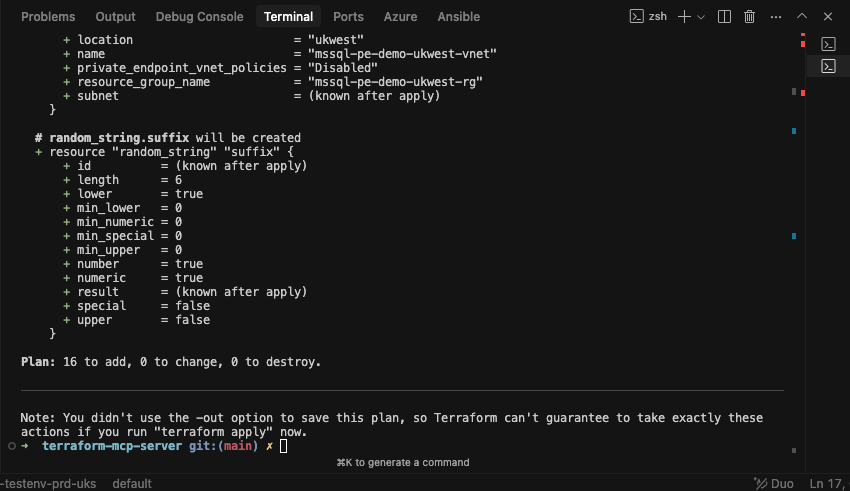
We have a successful plan!
Does it apply? No idea… because it’s time for dinner and I can’t be bothered in all honesty 😄.
Conclusion
MCP has a lot of potential and this is one of many different servers out there. As I say, I’m by no means knocking this one, and it is very early days for the tool, but this one didn’t wow me all that much, though granted, a lot of that could be down to my poor prompting.
I think in the next article, I’ll give the Azure MCP server a go!
Glossary of Terms
Caveat - the below was generated with AI as I was feeling lazy!
AI (Artificial Intelligence)
The simulation of human intelligence processes by machines, especially computer systems. AI includes learning, reasoning, problem-solving, perception, and language understanding.
LLM (Large Language Model)
A type of AI model trained on vast amounts of text data to understand and generate human-like language. Examples include OpenAI’s GPT series and Anthropic’s Claude models.
MCP (Model Context Protocol)
An open standard that allows AI clients (such as code assistants) to access additional functionality from external tools and services in a standardised way. MCP enables interoperability between AI applications and external resources, reducing the need for bespoke integrations.